
Monetize Your API
Register your REST API on FluxA, set per-endpoint pricing, and start earning. The proxy handles payments and forwards clean HTTP requests to your backend.
Architecture
Agent                        FluxA Proxy                     Your Backend
  |                              |                               |
  |-- POST /api/{slug}/path --> |                               |
  |   X-Agent-ID: <id-or-jwt>   |                               |
  |   X-Payment: <x402 token>   |                               |
  |                              |                               |
  |                              |-- verify payment ----------> |
  |                              |-- verify agent JWT --------> |
  |                              |   (if agent auth enabled)     |
  |                              |                               |
  |                              |-- POST /your/actual/path --> |
  |                              |   X-Api-Key: <your-key>       |
  |                              |   X-Agent-Id: <verified-id>   |
  |                              |   (static params injected)    |
  |                              |                               |
  |<-- response + settlement -- |<-- response ------------------|
The proxy:
- Verifies the agent's x402 payment
- Optionally verifies agent identity (JWT)
- Injects your configured static parameters (API keys, verified agent ID)
- Forwards the request to your backend
- Settles payment only after your backend responds successfully — if your backend errors, the agent is not charged
Setup
Go to monetize.fluxapay.xyz to get started.
1. Add Your API Server
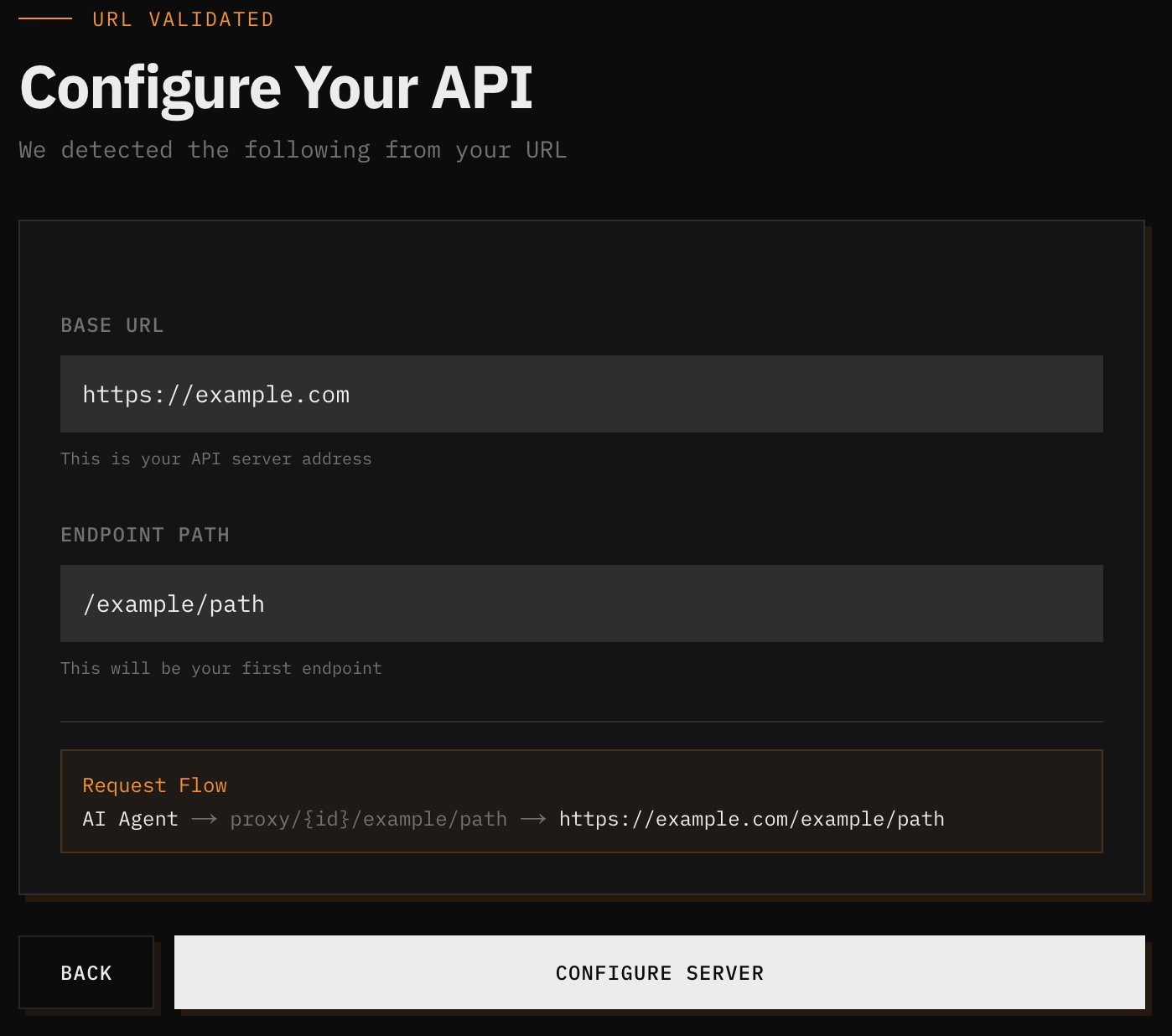
Enter your API server URL. You can include the full path — the system auto-parses the base URL and endpoint path:
https://api.example.com/v1/chat/completions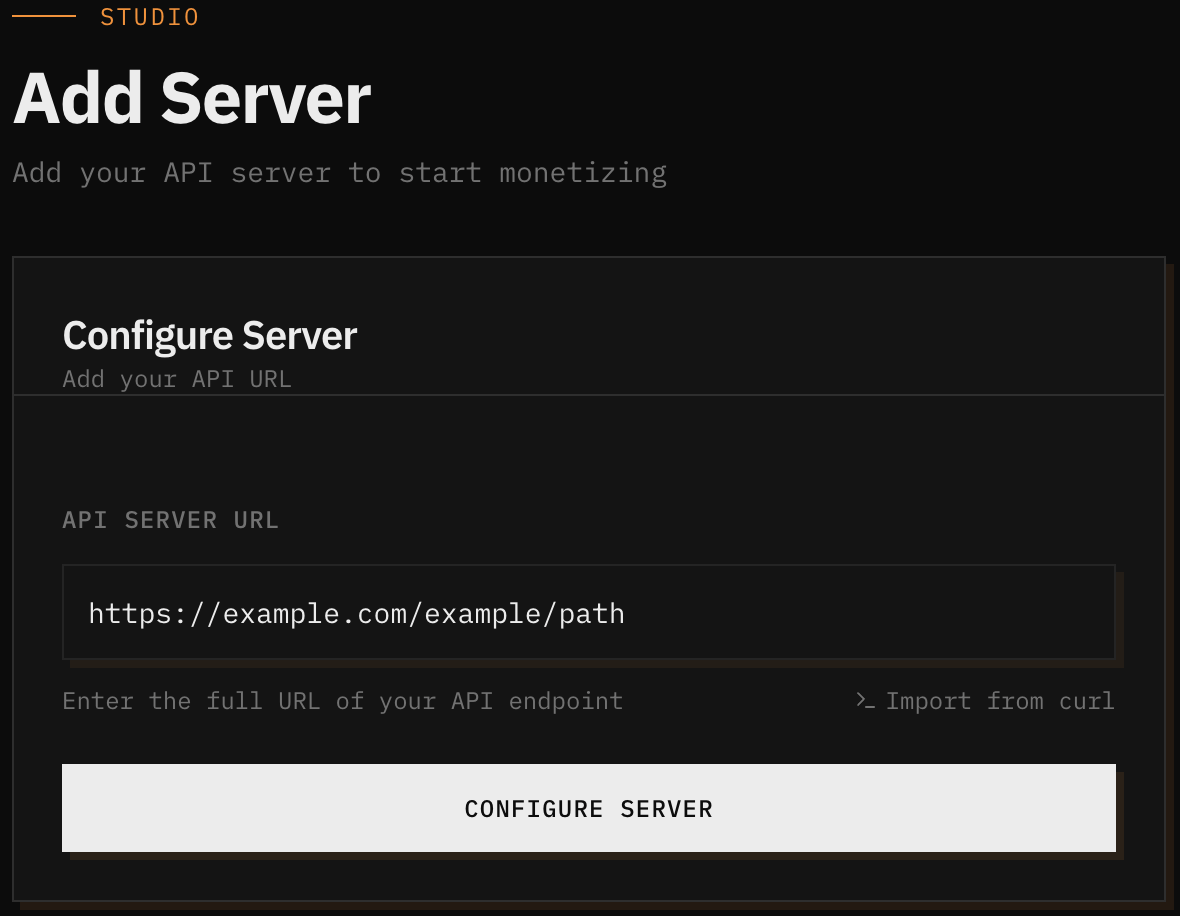
The system auto-parses your URL into a base URL (your server address) and endpoint path (your first endpoint), and shows a request flow preview of how agents will reach your backend.
2. Server Details
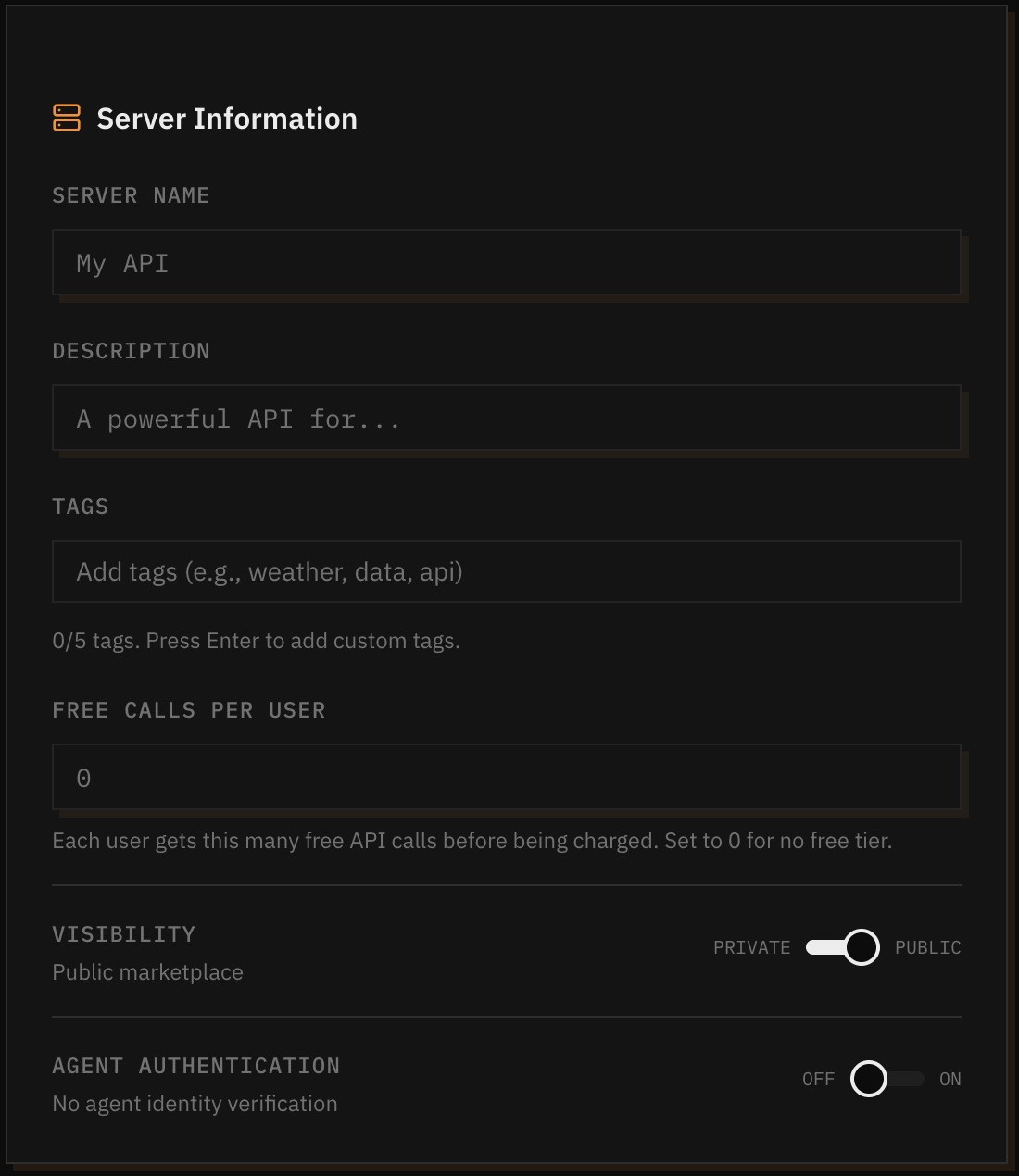
- Server Name — Shown to buyers on the marketplace
- Server Description — What your API does
3. Server Settings
Agent Authentication (optional) — Require agents to prove their identity with a signed JWT. When enabled, the proxy verifies the JWT and can inject the verified agent ID into requests to your backend. See Agent Authentication.
Visibility — Public (listed on marketplace) or Private (direct URL only).
4. Endpoints
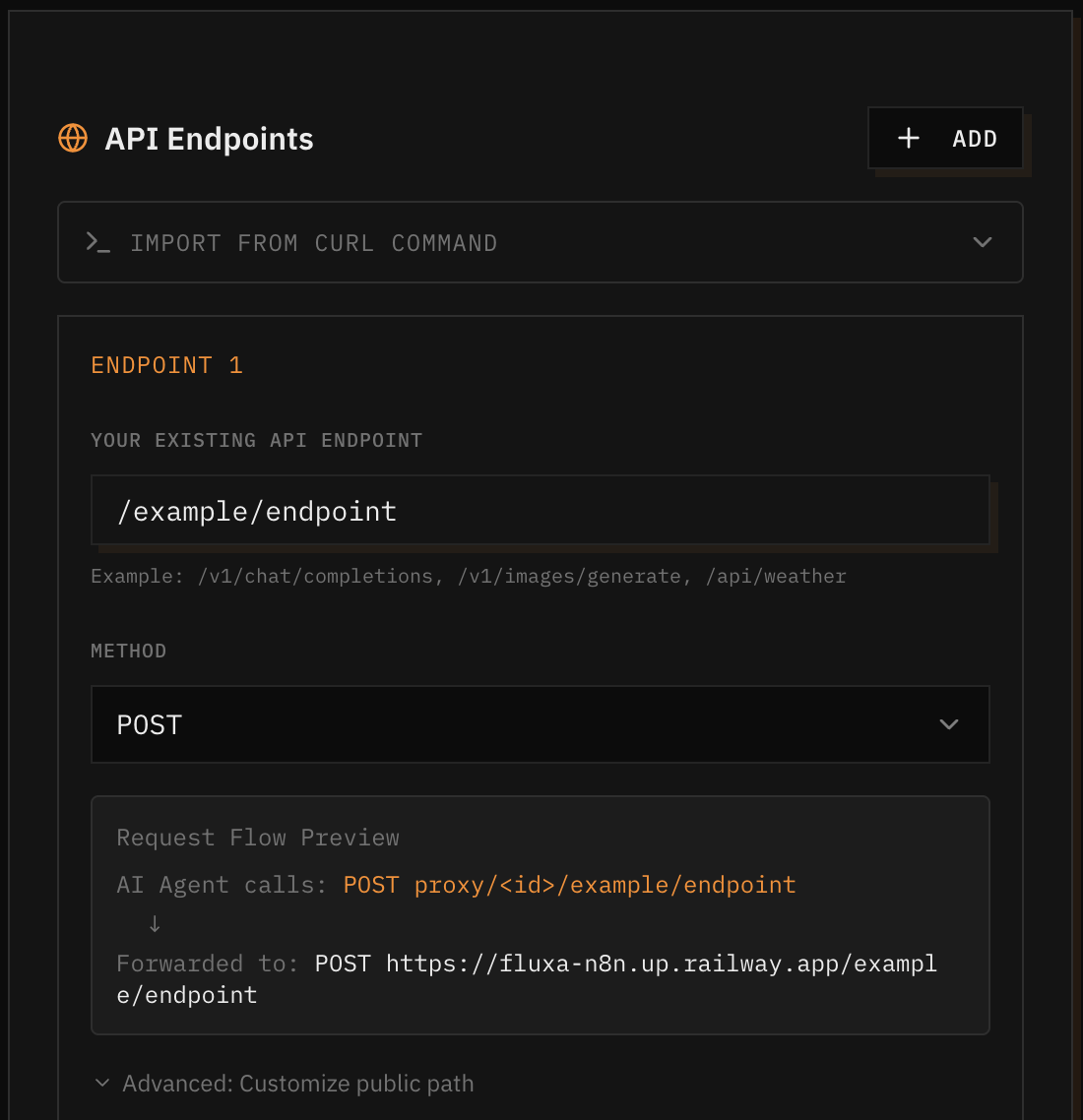
Each endpoint has two paths:
| Example | |
|---|---|
| Public path (what agents call) | /weather |
| Private path (what your backend receives) | /v2/weather?apiKey=sk-abc |
The private path can contain secrets. It's encrypted at rest and never exposed to buyers.
Pricing — Set a USDC price per call (minimum $0.01).
Static Parameters — Headers, query params, and body fields injected into every request. These are encrypted and never exposed to buyers.
| Name | Value | Backend receives |
|---|---|---|
X-Api-Key | sk-abc123 | X-Api-Key: sk-abc123 |
X-Agent-Id | {jwt.agent_id} | X-Agent-Id: a6aa03b9-... |
X-Agent-Email | {jwt.email} | X-Agent-Email: agent@example.com |
Template variables ({jwt.agent_id}, {jwt.email}) only resolve when agent auth is enabled.
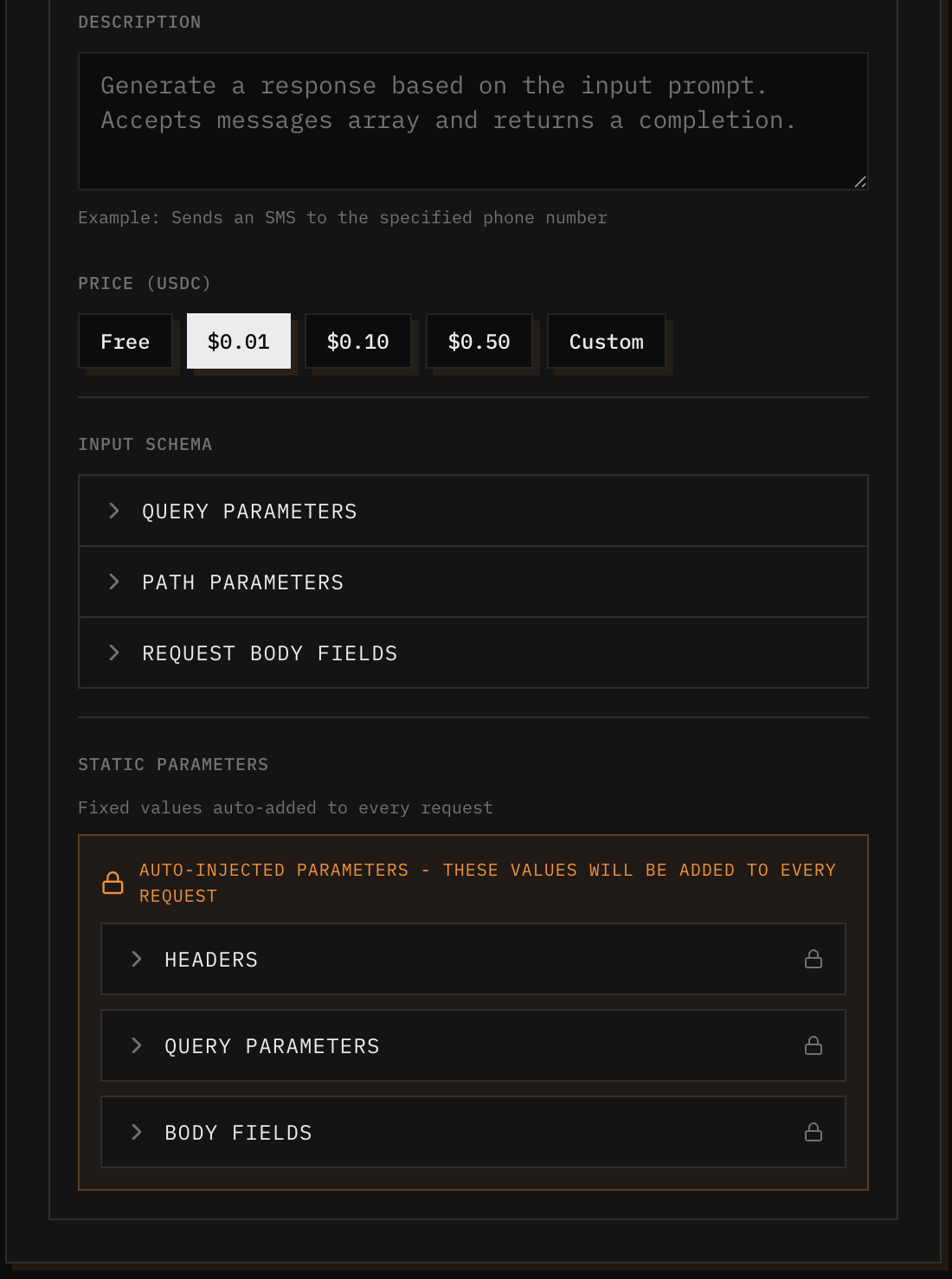
5. Review and Publish
Review your endpoints and pricing, then publish. Your API is live at:
https://proxy-monetize.fluxapay.xyz/api/{slug}/Agents call your endpoints by appending the endpoint path to this base URL (e.g., /api/{slug}/forecast).
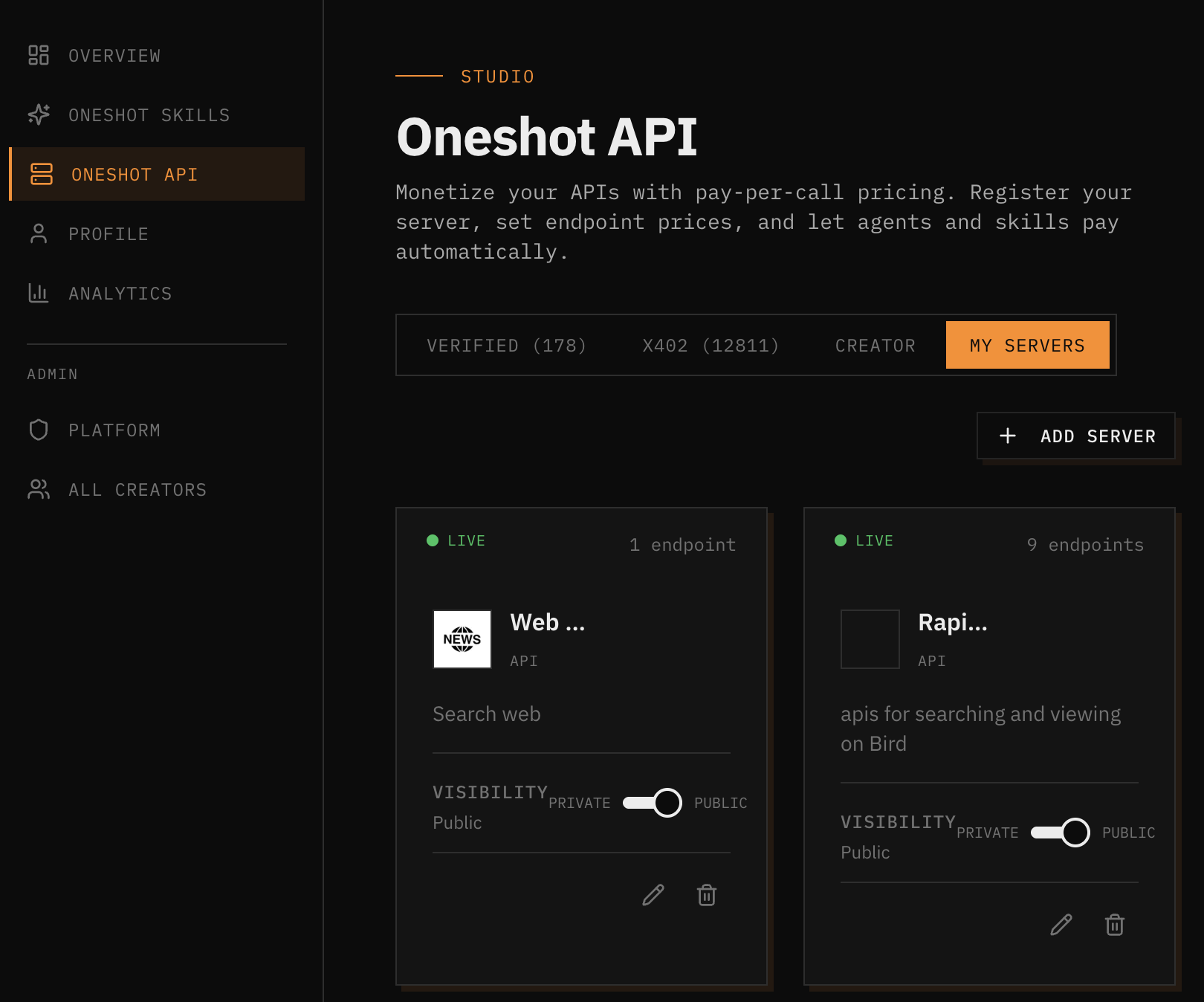
Drafts
Your configuration auto-saves as a draft while you fill in the form. If you leave:
- The draft appears in My Servers with a yellow dot
- Click it to resume where you left off
- Published configs show a green dot
- You can also manually save via the floating "Save Draft" button
Agent Authentication
When the agent auth toggle is on:
- Agents must send a signed JWT (from FluxA Agent Wallet) in
X-Agent-ID - The proxy verifies the JWT signature against the agent-did JWKS
- Invalid/expired JWTs get
401 Unauthorized - Valid JWTs → proxy extracts
agent_idandemail
You can inject the verified identity into your backend using template variables in static parameters:
{jwt.agent_id}— The agent's UUID (always present){jwt.email}— The agent's email (if present in JWT)
Why use this? Without agent auth, X-Agent-ID is a plain string anyone can set. With agent auth, it's cryptographically verified — agents cannot impersonate each other. Your backend can then do per-agent rate limiting, personalization, or access control.
What Your Backend Receives
The proxy strips all FluxA-specific headers (X-Payment, X-Agent-ID, X-Creator-Uid, X-Skill-Name, X-Task-Id) and injects your static parameters. Your backend gets a standard HTTP request — it doesn't need to know about x402 or JWTs.
Endpoint Matching
The proxy uses prefix matching. A pattern of /users matches:
/users(exact)/users/123(sub-path)/users/123/profile(deeper sub-path)
Extra path segments are appended to the upstream path. If your public path is /users and upstream path is /v2/users, a request to /users/123 hits /v2/users/123 on your backend.
When multiple endpoints could match, the most specific (longest) pattern wins.
Analytics
Your dashboard shows:
- Total calls and revenue per endpoint
- Recent activity: timestamp, endpoint, amount, status (success/failed/payment_failed)
- Agent ID and creator UID per request
Troubleshooting
| Error | Cause | Fix |
|---|---|---|
400 Missing X-Agent-ID | Agent didn't include identity header | Agent needs to set X-Agent-ID |
401 Agent authentication failed | JWT invalid, expired, or missing claim | Agent should refresh JWT via fluxa-wallet refresh |
402 Payment Required | No X-Payment header on paid endpoint | Agent needs to include x402 payment |
402 Settlement failed | Payment verified but blockchain settlement failed | Retry the request |
404 Endpoint not found | Path doesn't match any endpoint, or config is draft | Check endpoint config is published |
502 Upstream request failed | Your backend returned an error or timed out | Check your backend — no payment was taken |