
Quick Start: Create an Oneshot Skill
Build and publish an AI-powered skill in minutes. An Oneshot Skill combines multiple paid APIs into a single reusable workflow that any AI agent can run. You pick the APIs, an AI coding agent builds the skill for you, and you publish it to the marketplace for others to use.
Prerequisites
- A FluxA account. Sign in at monetize.fluxapay.xyz
- An AI coding agent (Claude Code, Cursor, Windsurf, or similar)
Step 1: Select APIs & Download
Navigate to Studio > Oneshot Skills and click Create Oneshot Skill to open the skill creation wizard.
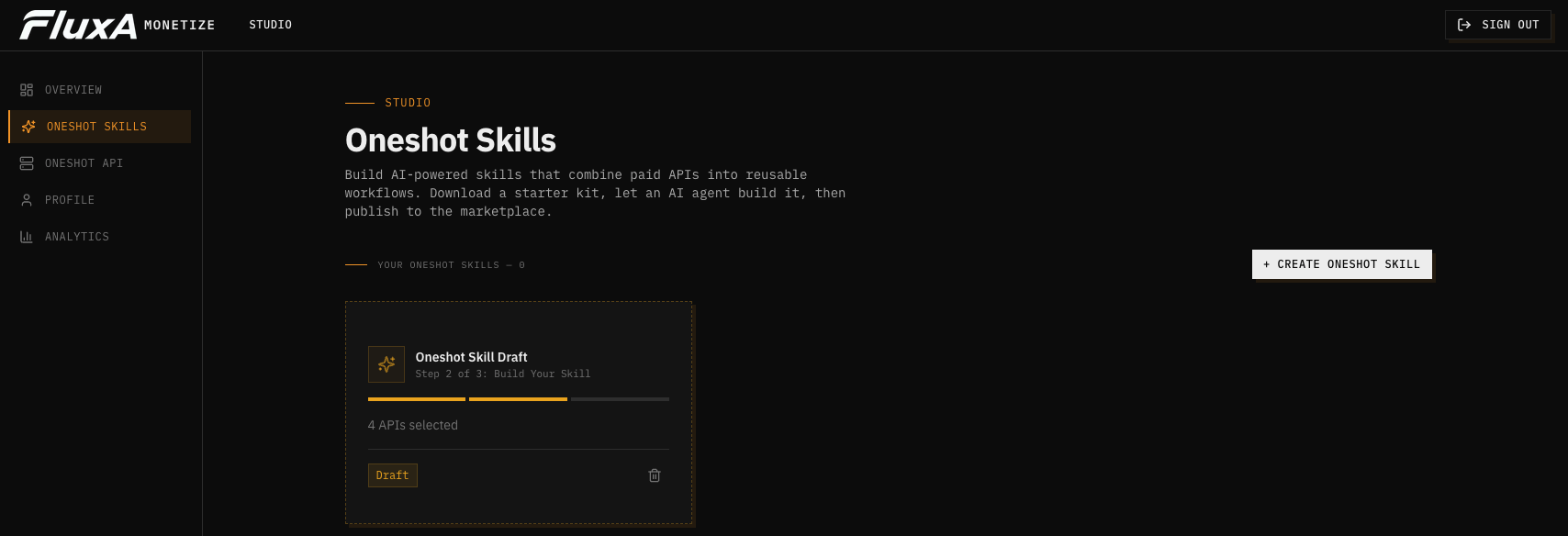
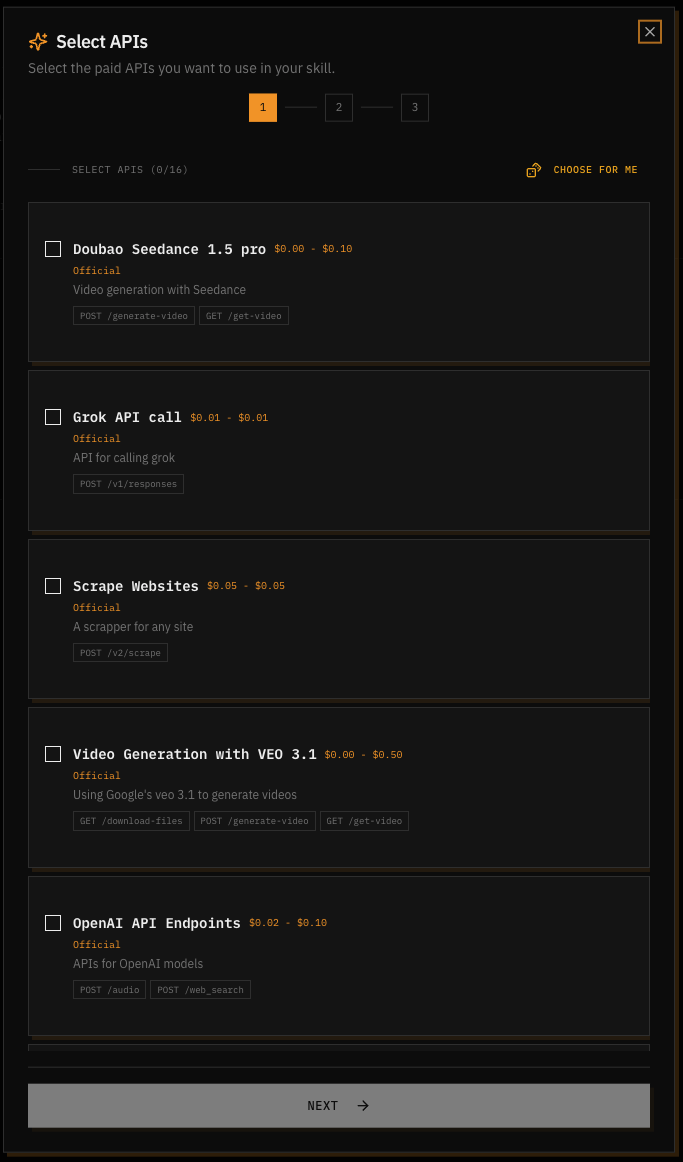
You'll see a list of available paid APIs on the platform. Browse through them and check the ones you want your skill to use. Each API card shows its name, a brief description, pricing range, and the endpoints it exposes. You can select as many APIs as you need.
Not sure which ones to pick? Click Choose for me and the platform will select a recommended combination based on what works well together.
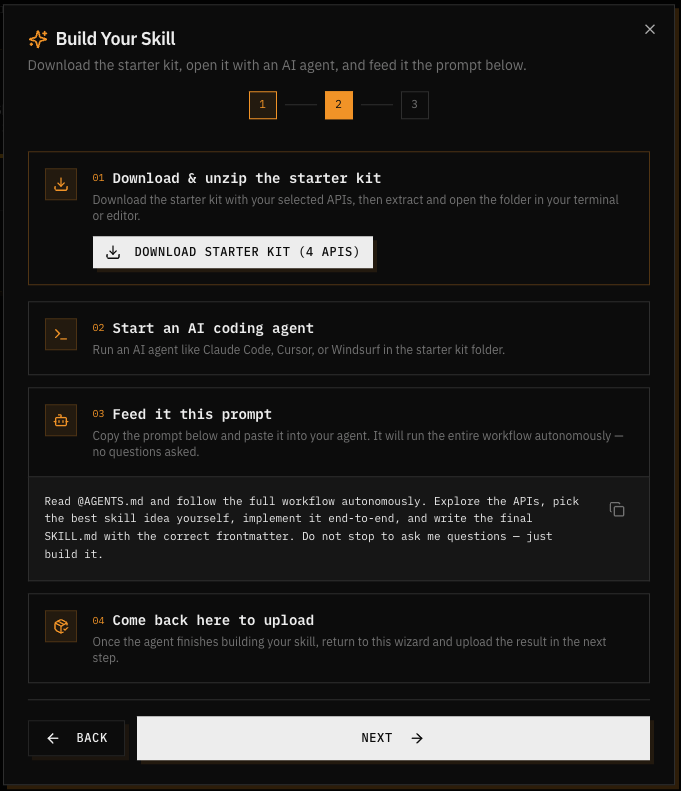
Once you're happy with your selection, the wizard moves to the Build Your Skill page. This page provides step-by-step instructions and a ready-to-use prompt for your AI agent. Click Download Starter Kit to get a zip file containing all the documentation and templates your agent needs.
Step 2: Explore the Starter Kit
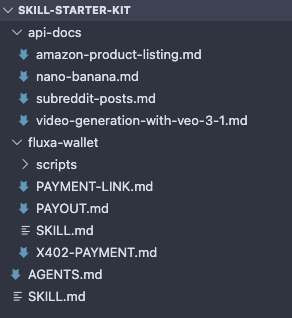
Unzip the downloaded file and take a look at what's inside:
AGENTS.md— The master instructions file. This tells your AI agent exactly what to do: explore the APIs, pick a skill idea, implement it, and write the final SKILL.md.api-docs/— Detailed documentation for each API you selected, including available endpoints, request/response formats, and pricing.fluxa-wallet/— Payment integration docs covering X402 payment flow, payout setup, and payment link creation.SKILL.md— A template for your skill definition with YAML frontmatter (name, description) and the workflow steps.
Step 3: Build with an AI Agent
Open the starter kit folder in your AI coding agent. Copy the prompt from the wizard (shown in Step 2) and paste it directly into the agent.
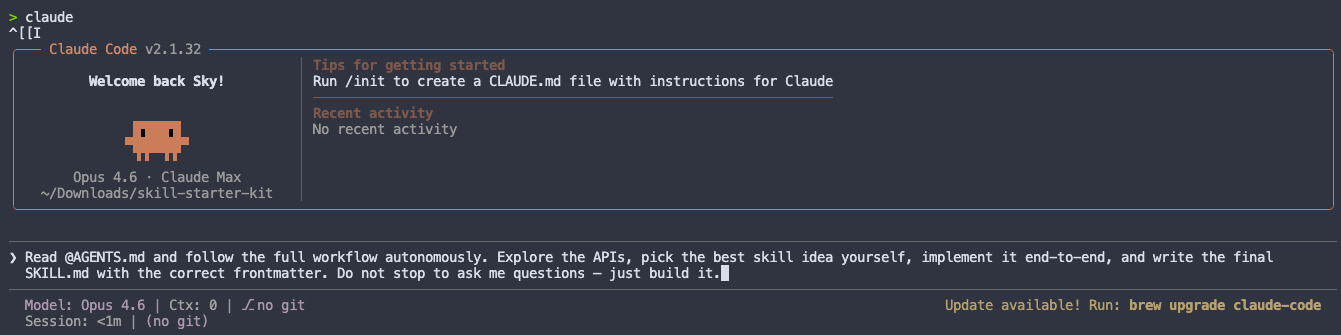
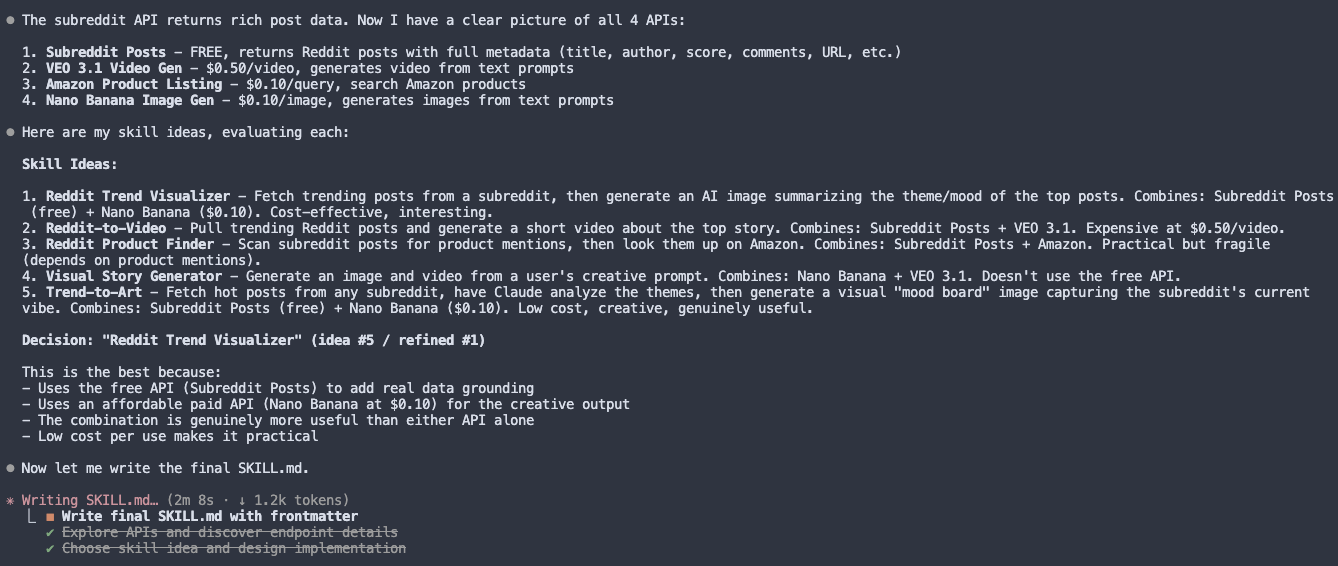
The agent takes it from here. It will autonomously:
- Read
AGENTS.mdand explore all the API documentation - Evaluate what the APIs can do together and pick the best skill idea
- Design a multi-step workflow that chains the APIs together
- Write the complete
SKILL.mdwith correct YAML frontmatter, tool definitions, payment flow, and error handling
You don't need to intervene or answer any questions. The agent handles the entire build process on its own.
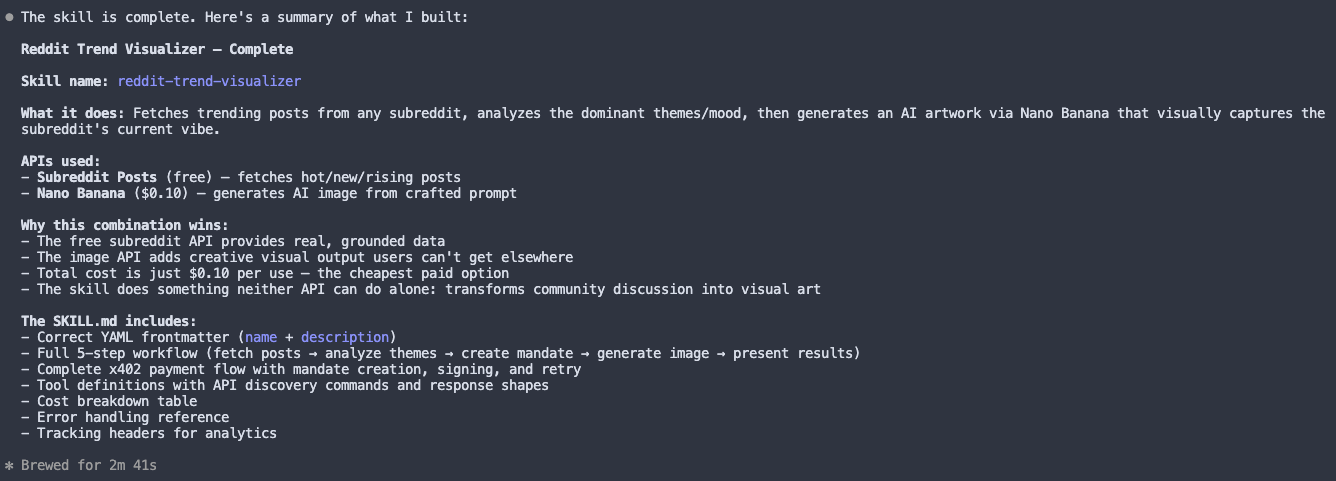
When the agent finishes (typically 2-5 minutes), it will present a summary of what it built: the skill name, which APIs it uses, why the combination works, the total cost per run, and what the SKILL.md includes.
Step 4: Zip & Upload
Before uploading, you need to zip the starter kit folder. You can ask the agent to do this for you, or zip it manually from your file manager.
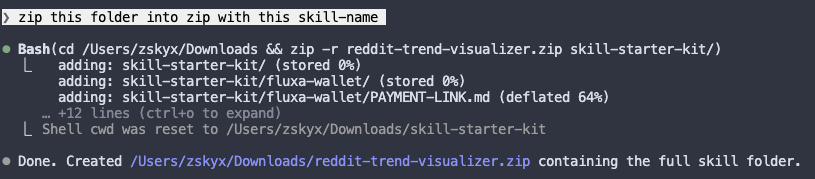
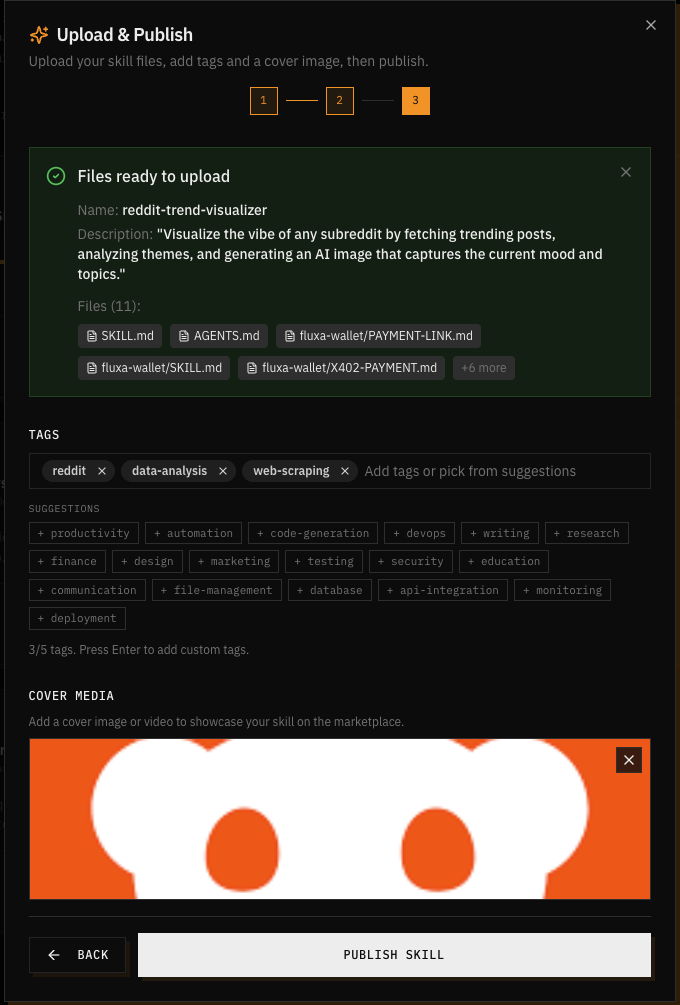
Go back to the wizard and click Next to reach the Upload & Publish step. Upload the zip file and the platform will automatically parse your SKILL.md to extract the skill name, description, and files.
Add a few tags to help others discover your skill (e.g. "reddit", "data-analysis", "web-scraping"), and optionally upload a cover image or video to showcase it on the marketplace. When everything looks good, hit Publish Skill.
Done!
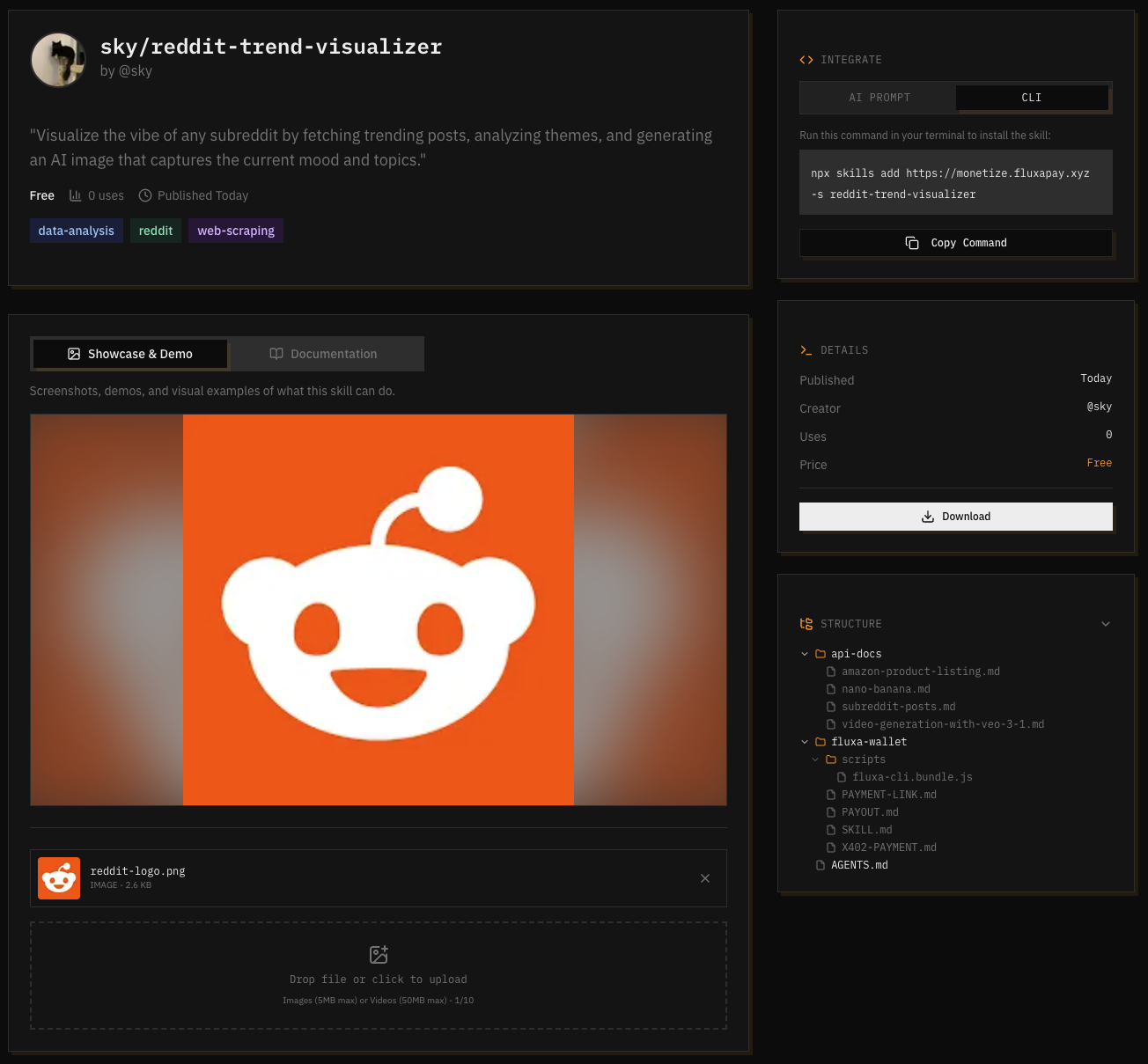
Your skill is now live on the marketplace with its own page. Visitors can see the description, tags, cover media, a showcase section, and the full skill file. They can also view the cost per run and download the skill to use it themselves.
Every time someone runs your skill, the underlying API calls are paid automatically through FluxA. You don't need to handle billing, authentication, or payment infrastructure.
What's Next?
- Monetize your own API: Have a REST API? Register it on FluxA, set per-call pricing for each endpoint, and start earning when other skills and agents use it. See Monetize Your API.
- Use existing APIs: Want to integrate paid APIs into your own agent workflows without building a skill? See Browse & Use APIs.
- Build more skills: Each skill you publish is a new revenue stream. Try combining different API sets to create unique workflows.